 A2O Lite Neon
 How to Make an A2O LITE NEON Dance Video With a Friend
Make a shared NEON dance from separate photos of you and your friend. This guide covers choosing photos, assigning both dancers and checking the result—even when you are in different places.
The Short Answer
To make an A2O LITE NEON dance video with a friend, prepare two separate photos of consenting adults and upload one per performer. Photo 1 guides the dancer on the left in the opening reference frame; photo 2 guides the dancer on the right. The built-in dance reference and fixed instructions guide the performance, so you do not need to film or learn the choreography.
Eligible signed-in accounts can try one free 2-second watermarked preview. The paid 15-second MP4 is generated separately and has no site-added watermark. Verify your email before purchasing credits or starting a full video, review the displayed cost and confirm generation. AI likeness and motion can vary; a preview does not guarantee the full result.
What’s new
- — First publication: making a duo video from separate photos, role assignment, costs and sharing checks.
See what two separate portraits can produce
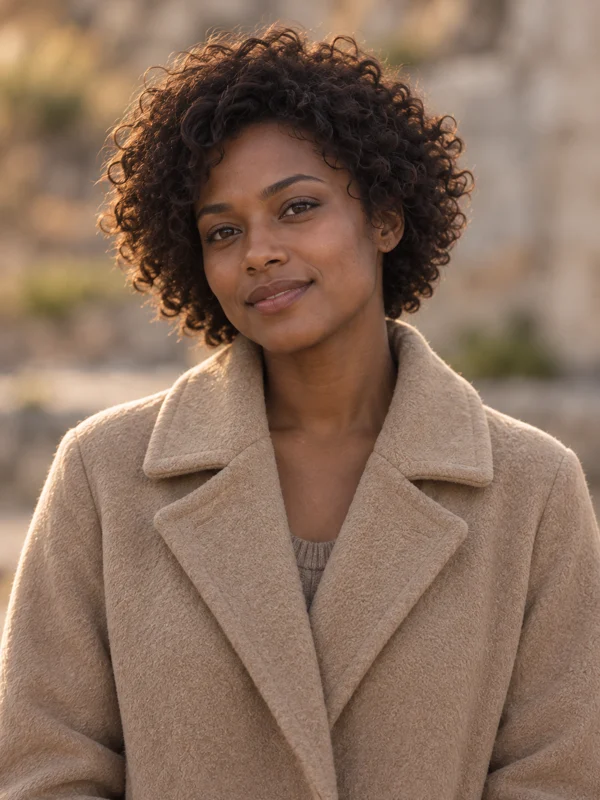
Compare the two input portraits and the result below before choosing your own photos. Notice how the faces and clothing behave when the performers turn or overlap. This example illustrates one result, not a guarantee for your photos.

1. Prepare a clear photo of each person
Ask your friend for permission to upload their photo and create an AI video. Both people must be adults aged 18 or older; do not use celebrity or public-figure photos. Use one person per image, with a sharp, well-lit face and no heavy filters, dark sunglasses or obstructions.
Full-body photos provide more clothing and body information, but are not required: clear portraits also work as inputs. The AI infers details outside the frame. You do not need matching backgrounds or a shared photoshoot. Follow the file requirements shown beside the upload controls.
2. Open the generator and assign both dancers
Open the homepage generator and watch the example. Select your photo for photo 1 and your friend’s for photo 2, then check both image previews. These correspond to the left and right performers in the opening reference frame, not permanent screen positions throughout the dance.
Swap the two inputs if you want to swap the roles. There is no separate front/back or lead-dancer control. You do not write a custom prompt or upload your own dance reference.
3. Review settings and confirm generation
Choose the available resolution and aspect ratio for where you plan to share. Sign in or register. If the free preview is available and you qualify, you can try it before buying: the first eligible attempt does not require a verified email, but sign-in, security checks and usage limits still apply.
For the full video, verify your email, review the credit cost and buy credits if needed. Packs are one-time purchases with no automatic renewal. Buying credits does not start a video: return to the generator, check both photos and settings, then give the final confirmation.
Follow the existing task in your library while it processes. Completion time varies; check its status before submitting another attempt. The paid full video is a new generation, not an extension or unlock of the preview.
What does the duo video cost?
The table below reads the full-video credit costs from the same catalog as the generator. One-time packs start at USD 9.90 for 480 credits. Review the current quote and refund policy before purchasing; an available balance, rather than a per-video cash payment, funds generation.
The free preview carries a domain watermark and is subject to account, browser, network and daily limits. It is not unlimited. The full 15-second video has no watermark added by this site.
| Resolution | Credits |
|---|---|
| 480P | 240 |
| 720P | 480 |
| 1080P | 960 |
4. Review, download and share
Watch both faces, hands, clothing and overlapping movements. Clear photos give the model useful information, but do not guarantee an exact likeness or identical choreography. Download the finished MP4 through the result controls.
Listen to the downloaded audio before sharing. Audio is requested during generation, but an example or a NEON reference track does not establish music rights or guarantee an identical soundtrack. Use audio you have permission to publish or licensed options on the destination platform, and label the video as AI-generated.
If processing appears stuck, check the existing task and any error message. For a delivered clip with problems, contact support with the task ID and a description. Review the refund policy; do not assume an automatic free retry or cash refund.
Frequently asked questions
Can we make it while living in different places?
Yes. Your friend can send a separate photo and permission to use it. You do not need to record together, match backgrounds or perform the dance.
Can I upload one photo containing both of us?
Use two separate images, one person in each. If you only have a group photo, crop each person into a clear individual image first; the tool does not automatically split a group photo into two inputs.
Does a good preview guarantee the same full video?
No. The full video is generated independently. Faces, clothing and motion can differ even with the same two photos.
Do we need to learn the dance or write instructions?
No. The tool uses a prepared NEON dance reference and fixed instructions. Your photos guide appearance; AI interprets the movement and may change details.